

Flow Chart Recruitment Process: Stages, Symbols and Templates
Hiring passes through many hands, and each step waits on the one before it. A task list hides who owns each step and where work gets sent back, so delays go unseen.
This article shows how to map hiring as a flowchart, from approved vacancy to accepted offer, and how to draw your own with clear symbols, lanes and templates.
What a recruitment flowchart maps from vacancy to offer
A recruitment flowchart is a map of who does what, and in which order. Each box is one step, from the approved hiring need through screening, interviews and offer.
Arrows show the order. Diamond shapes mark where a requisition can be sent back, such as a headcount request that is not approved.
A checklist lists tasks but not who holds them or when a decision sends work back. A flowchart puts owners, decisions and handoffs on one page.
Arrows that cross lanes show each handoff, so HR and hiring managers can see where work waits and cut repeated work. To measure those waits, see les indicateurs de performance du recrutement.
The stages of a typical hiring process, step by step
Every hire starts with a vacancy. The hiring manager tells HR about it, then confirms the budget and salary with HR. Once those are settled, the manager sends the completed requisition form.
Then HR and the manager agree on the job description, the department’s needs and the preferred skills. Only then is the role ready to post.
Five stages follow, each with one owner, and the 2026 SHRM benchmark median of 39 calendar days for nonexecutive roles is a midpoint:
- Posting: HR sources candidates and checks applications.
- Interviews: HR screens, then the manager meets the strongest.
- Finalist: HR and the manager pick one, then HR runs checks.
- Offer: HR and the manager agree terms; the candidate accepts.
- Close: HR notifies other candidates and starts onboarding.
Where the decision gates sit and how each branch resolves
Screening and interview gates
Screening and interview gates are decision diamonds with Yes and No exits.
After application review, the diamond asks « Meets essential criteria? » Yes leads to screening or interviews. No leads to candidate notification or another defined outcome.
After interviews, the diamond asks « Advance after interview? » Yes leads to the next interview or assessment. No leads to the candidate exit path.
Judge every candidate on the same job-related criteria, recorded on one scorecard. It shows why each candidate moved on.
Track selection rates by race, sex or ethnic group at each gate. Under the four-fifths rule, a rate below 80% of the highest group’s rate flags possible adverse impact.
It is only an indicator, so a flag means reviewing the criteria.
Offer and acceptance gates
The offer is the last gate. After the finalist is chosen, reference and background checks, agreement on offer details, and the offer itself are separate steps. Then the diamond asks « Offer accepted? »
Yes sends the candidate to onboarding, where new-hire paperwork starts. No sends the work back to a step you define, usually the shortlist, to make an offer to the next candidate.
Flowchart symbols and swimlanes that keep the chart readable
Standard symbols for a hiring chart
Three shapes do most of the work. Use an oval or rounded rectangle for the start and end, so you can see at a glance where hiring begins and stops.
Use a rectangle for each action, such as « Review applications. » Use a diamond for a question, such as « Meets the criteria? », because it sends the process down different paths.
Match each symbol and arrow to its meaning before you draw.
| Element | Shape | Meaning |
|---|---|---|
| Start and end | Oval or rounded rectangle | Where hiring begins and stops |
| Action | Rectangle | A task someone completes |
| Decision | Diamond | A question with a Yes or No exit |
| Information in or out | Parallelogram | Data entering or leaving, such as a sent offer |
| Flow | Arrow | Direction of work; label decision arrows Yes or No |
Swimlanes that show ownership
Each action belongs in the lane of the person who owns it. Hiring charts commonly include lanes for roles such as the hiring manager, HR or talent team, finance, the candidate, and the interview panel, though the exact number and labels vary depending on the organization and hiring process.
Read a lane from left to right and you see that person’s steps in order.
When an action sits in the wrong lane, the owner is unclear, and that is where delays start. Keep the lanes tied to real owners so anyone can tell who must act next.
How to draw your own hiring flowchart, step by step
Each stage needs one owner. At each gate, ask the question that decides whether the file moves on:
- Is the budget confirmed? The hiring manager confirms it and sends the requisition to HR.
- Do HR and the hiring manager agree on the job description? If not, the vacancy can’t be posted.
- Does the candidate meet the job-related scorecard? The talent team scores every candidate the same way.
Draw your flowchart in four moves:
- Draw each action as a rectangle and each decision as a diamond.
- Connect the shapes with arrows, and label each decision path with its outcome.
- Check that every path ends in a clear result, such as an accepted offer.
- Map the compact path from approved vacancy to onboarding, one shape per step.
Templates and examples you can adapt to your own hiring
Use the five-lane chart as your model. Give each step one owner: headcount approval to finance, screening to HR, the shortlist to the interview panel, and the candidate response to the candidate.
To check your lanes against a real case, see capital one recruitment process.
Match the tool to how many teams sign off on a hire.
| Criteria | Checklist | PowerPoint | Visio | Word |
|---|---|---|---|---|
| Best for | Tracking every stage | A one-slide hiring flow | Multi-team process maps | Steps, owners and handoffs |
| Company size | Small teams | Small to mid-size | Large firms | Mid-size teams |
| Approval complexity | One sign-off | One screening loop | Several roles and teams | Named owners at each handoff |
What happens after the offer is accepted
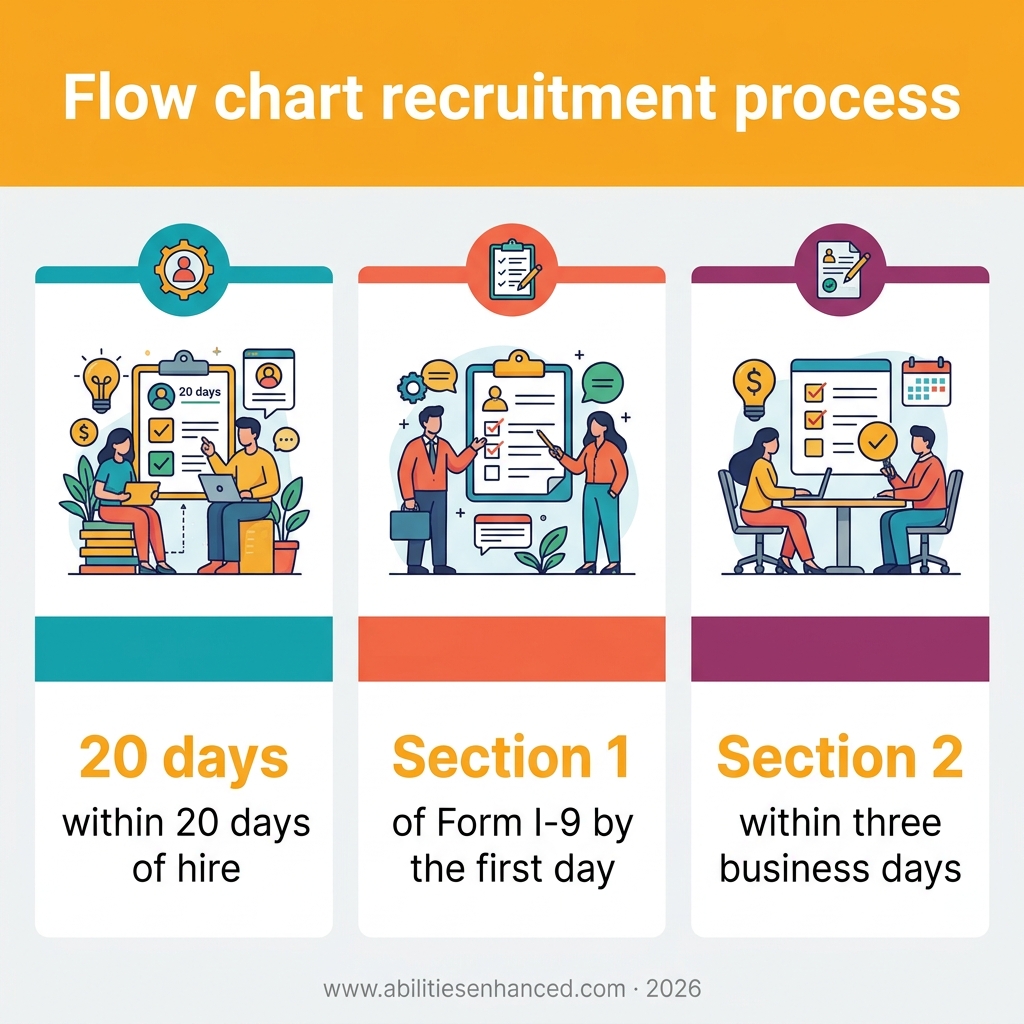
The employee signs Section 1 of Form I-9 by the first day of work, never before accepting the offer.
The employer completes Section 2 within three business days of the first day. If the job lasts fewer than three business days, it’s due on the first day. Put both deadlines on your onboarding timeline.
After acceptance, HR and the hiring manager complete the employee action form and set the onboarding schedule at handoff.
The branch then covers the employee file, the I-9, benefits enrollment and federal and state tax forms.
Report the new hire to the state where they work within 20 days of hire, or sooner if that state sets a shorter deadline.
Each step needs one owner, and each decision needs a Yes exit and a No exit. A chart that shows both is the one that reveals where hiring waits.
Start with the approved vacancy. Sketch the five lanes first, then place each step in its owner’s lane.
Frequently Asked Questions
What is a full recruitment cycle?
A full recruitment cycle is the whole path a hire takes, from the approved vacancy and requisition to the accepted offer. It runs through role definition, posting, sourcing, screening, interviews, selection, checks, and offer.
What are the 7 stages of the recruitment process?
One common model breaks the recruitment process into seven stages: requisition and approval, role definition, posting and sourcing, screening, interviews and assessment, selection and checks, and offer and acceptance — though other breakdowns, such as the five-stage model described earlier in this article, are equally valid depending on how an organization defines its steps. Each stage is a point where someone has to act before the file moves on.
How long does a typical recruitment process take?
The typical recruitment process takes 39 calendar days for a nonexecutive role, according to the 2026 SHRM benchmark. That is the median time to fill for nonexecutive roles, counted from the day the requisition opens to the day the candidate accepts the offer. Extra sign-offs can push that number up.
Which free tools can I use to draw a recruitment flowchart?
Visio and PowerPoint both work for this. Visio has Basic Flowchart and Cross-Functional Flowchart templates, and the cross-functional one gives you the swimlanes for each owner. PowerPoint has an editable hiring-flowchart template you can adapt to your own steps.
Commentaires récents